 our blog
punters vs. society, an illustrated guide
15 February 2016, 12:01
brownie snaps
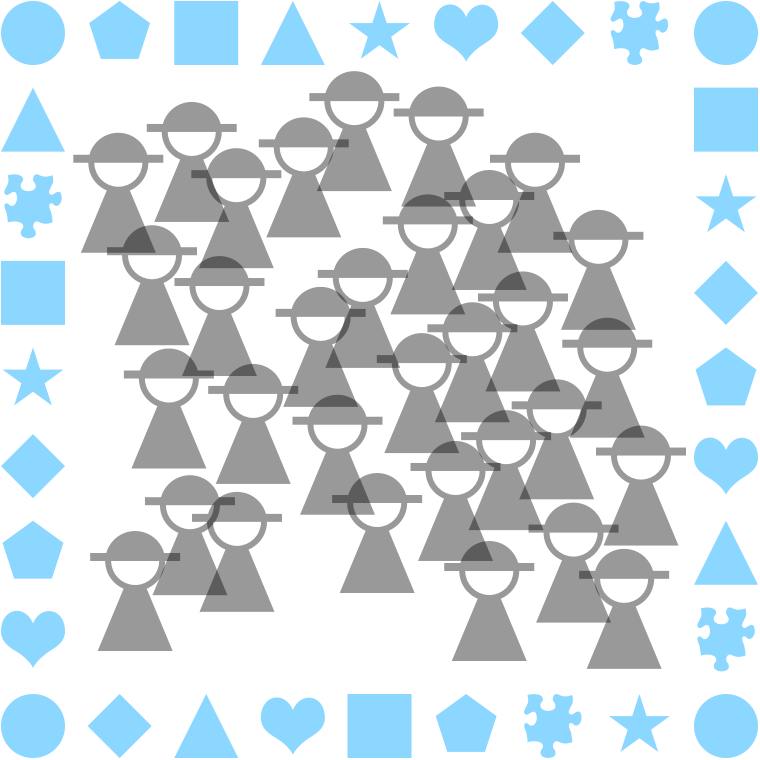
Below, we see the users of a product—e.g. a piece of software, an (internet) service, a device:
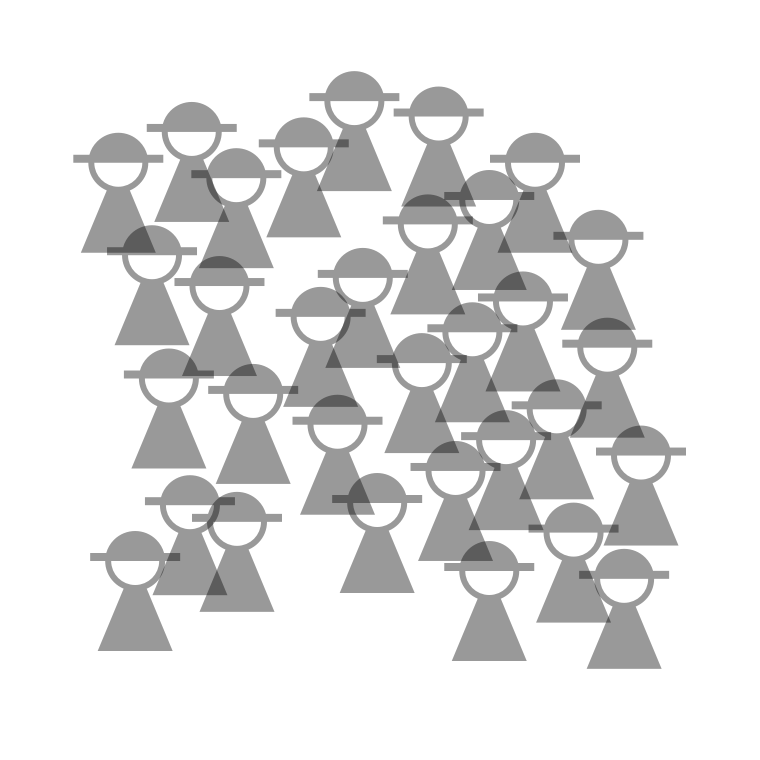
All users are different. Above we see the diversity of this user society depicted in two dimensions; no two are in the same spot. In reality this spread happens in dozens of dimensions. Even for very specialised user groups like ‘font designers for indochinese languages,’ there is plenty of diversity in many dimensions.
We all act like selfish punters; you, me, everyone. And when we are individually engaged in talk about a product, we will offer self‐centred opinions on what matters most and self-serving feature requests, i.e. our wants:
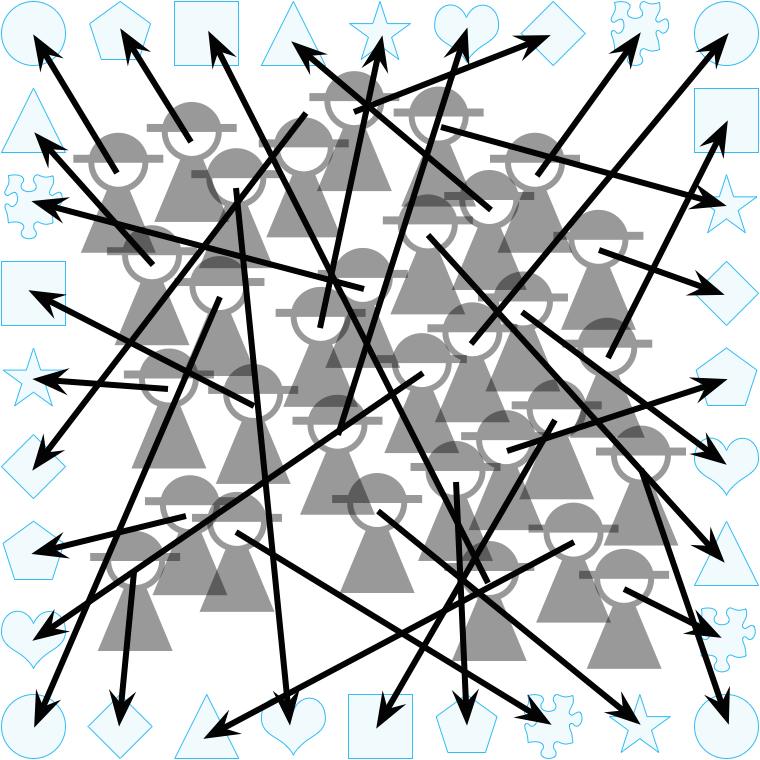
The dynamic we see illustrated above is very common in the software industry. You will find it in 99% of—
- custom software projects for companies, NGOs or the government, during requirements gathering;
- small and medium‐sized software companies where the boss, sales, support and/or consultants talk to customers and users;
- any kind of user forum, online or otherwise;
- take (a variant of) the second point above and combine it with the third, that’s F/LOSS, all of it;
- anywhere where market research is deployed.
write write, scribble scribble
It is also very common in the software industry to earnestly administrate user wants:
Common forms of this are—
- lists of use cases;
- use cases in sheep’s clothing: user stories;
- bug trackers; not necessarily as an enhancement or a feature request, it may be dressed up as a bug, or a usability problem;
- feature roadmaps;
- a lingering pressure, guilt, or fear in the minds of those in charge—boss, product manager, or maintainer;
- a consensus among (part of) the crew: ‘people keep asking for XYZ, we could hack something basic in a couple of days’ (yeah sure).
Now we can compare this administration of wants to the user society:
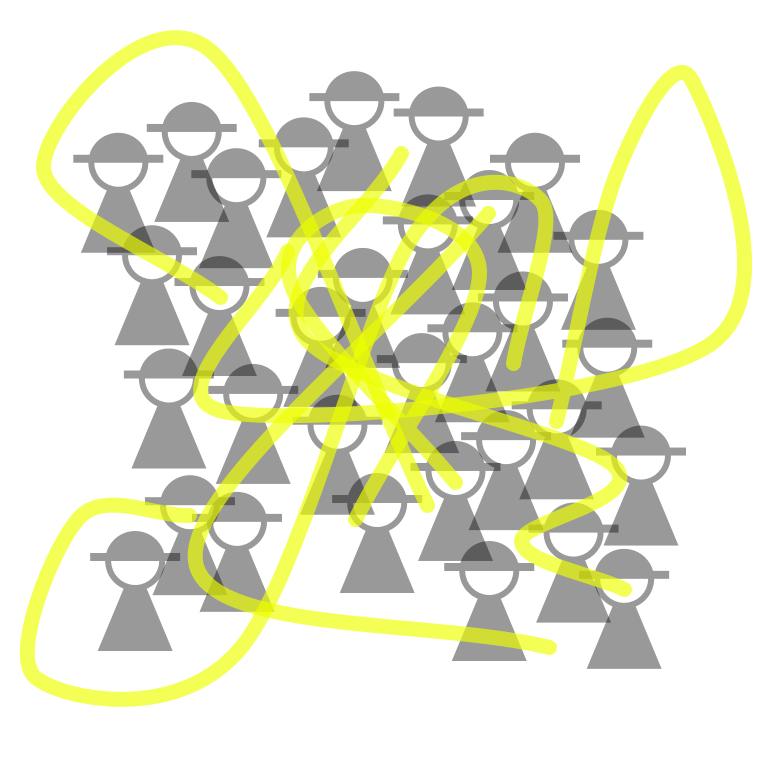
We see that at best, wants are good at describing the fringe of the society, but 80% of them are downright far‑out and esoteric.
Since wants are so overwhelmingly used in the industry to drive products and projects, there is overwhelming evidence that this leads to awful results. It is completely normal that a majority of time and talent is spent on adding far‑out and esoteric features that are instant bloat.
And thus everybody loses: makers, users and financial backers.
doing it right
Now we are going to stop flirting with disaster.
User research avoids all what has been described up to now in this post. The focus is on—
- finding out what users need;
- quality and depth of these findings;
- understanding the mechanisms at play.
Instead of listening to everbody and their dog, researchers accompany a selection of representative participants on a ‘journey‘ through the pertaining activity, while constantly picking their brain:
Above, we see depicted that when users still insist on pushing their wants (i.e. go far out), researchers reel them in by questioning; peeling away layers of rationalisation in order to understand the underlying needs.
These needs are not exotic, they are basic human needs (e.g. control, overview, feedback, organisation, a stable environment, a simple rule book) that form the center of the picture—and are central to making it work for users.
Researchers and designers collaborate on constructing a model—an understanding—of the user society. The centre of the picture is where one finds the commonalities in the (analysed) research material:
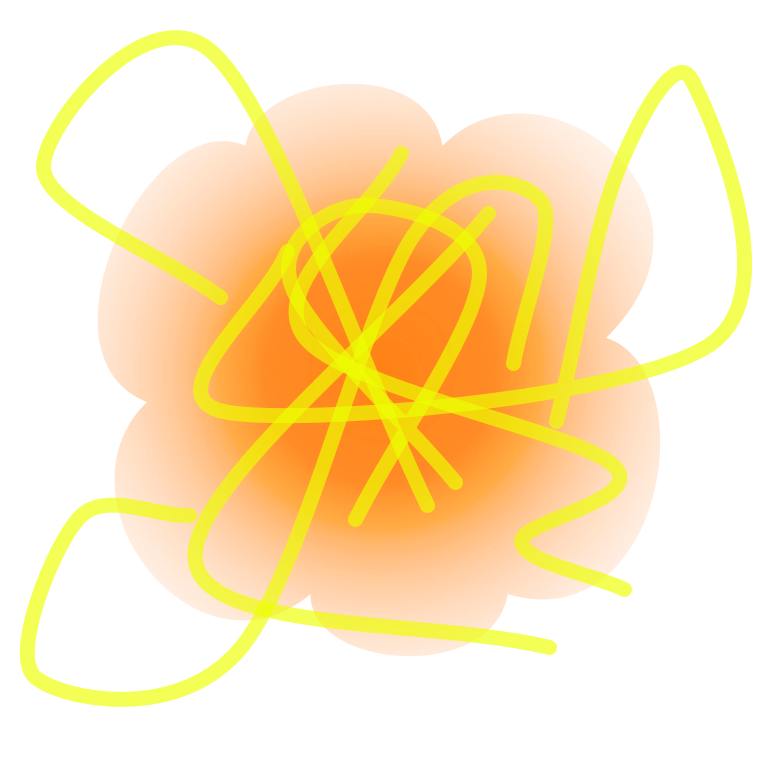
This is the heart of the matter. It is surrounded by the diversity in needs as found by the research. Note that there is a hard edge to this model: what is outside is certainly out of scope.
The qualitative aspect of research (e.g. taking into account the tone of voice or facial expression when something is stated) makes a world of difference. It is this richness of information that makes user research so effective. We see above that some outliers have been ignored in the user model. This is done with full confidence, based on the research.
core, non‑core
Now we can compare the needs‐based user model to the user society:
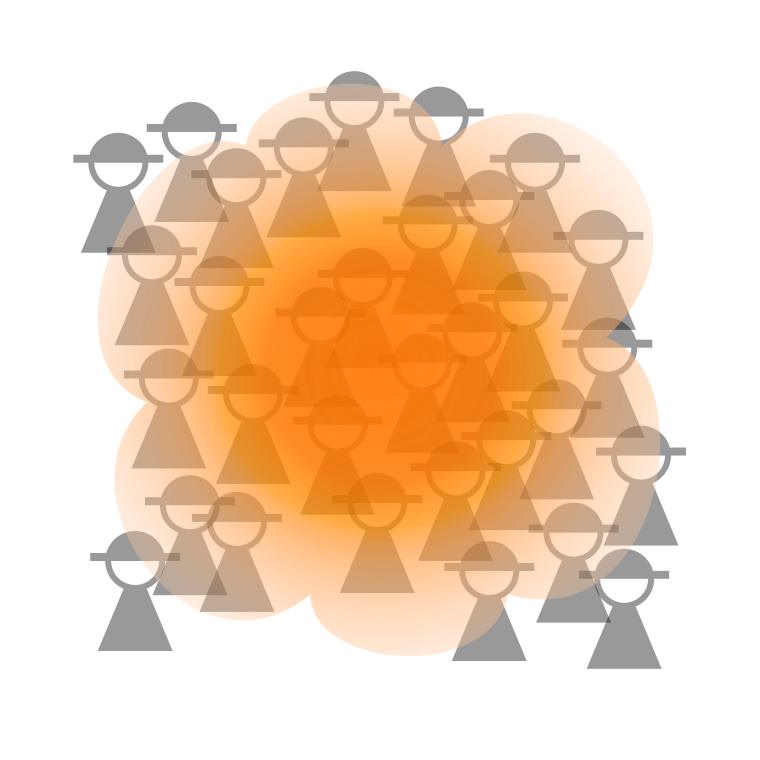
The coverage of the model works out so well, that it is difficult to see the actual users. This is especially true for the heart of the matter. Note that some users at the very fringe of society may feel left out; they are covered a little bit or not at all.
In a design‐driven approach, the needs‐based user model is used to decide which features to add (cover the diversity, but nothing beyond the edge) and where to focus design and development effort (on the heart of the matter).
A/B testing
Zooming out, we now can compare the two approaches:

When compared to the results of user research, the bog standard, wildly popular method of listening to users and their wants—
- fails to record the heart of the matter;
- fails to record the diversity of user needs;
- is a list of disparate wishes, instead of a coherent, nuanced insight;
- highlights the fringe, the far‑out, the esoteric;
- gets you completely the wrong picture.
postscript
This past semester I discussed all this with my students at the BTK design school. To get the point across about the dangers of talking to users, I asked them ‘do you remember these creatures in mythology that always give you the wrong answer, so that you get lost?’
‘Yeah’, they said, ‘they are called trolls.’
Labels: fundamental, product phase, top story, war and peace



war and peace—the 5th column
21 August 2015, 10:22
cuckoo
Last week my friend Jan‑C. Borchardt tweeted:
‘Stop saying »the user« and referring to them as »he«. Thanks!’
To which I replied:
‘“They”; it is always a group, a diverse group.
‘But I agree, someone talking about “the user” is a tell‐tale sign that they are part of the problem, not the solution.’
All that points at a dichotomy that I meant to blog about for a long time. You see, part one of the war and peace series looked at all four parties involved—product makers, users, developers and designers—as separate silos. The logical follow‑up is to look at hybrid actors: the user‐developer, the product maker‐developer, et cetera.
While working to provide a theoretical underpinning to 20+ years of observation of performance in practice of these hybrid actors, I noticed that for all user‐XYZ hybrids, the user component has not much in common with the users of said product. In general, individual users are in conflict with the user group they are part of.
That merits its own blog post, and here we are.
spy vs. spy
First we got to get away from calling this ‘user versus users.’ The naming of the two needs to be much more dissimilar, both to get the point across and so that you don’t have to read the rest of this post with a magnifying glass, just to be sure which one I am talking about.
During the last months I have been working with the concept of inhabitants vs. their city. The inhabitants stand for individual users, each pursuing their personal interests. All of them are united in the city they have chosen to live in—think photoshop city, gmail city, etc. Each city stands for a bustling, diverse user group.
inner city blues
With this inhabitants & city model, it becomes easier to illustrate the mechanisms of conflict. Let’s start off with a real‐life example.
Over the next years, Berlin needs to build tens of thousands units of affordable housing to alleviate a rising shortage. Because the tens of thousands that annually move to Berlin are (predominantly) looking for its bubbly, relaxed, urban lifestyle, building tower blocks on the edge of town (the modernist dream), or rows of cookie‐cutter houses in suburbia (the anglo‐saxon dream) won’t solve anything.
What is needed is development of affordable housing in the large urban area of Berlin. A solid majority of the population of Berlin agrees with this. Under one condition: no new buildings in their backyard. And thus almost nothing affordable gets built.
What can we learn from this? Naturally reactionary inhabitants take angry action to hinder the development that their city really needs. I am sure this rings a bell for many a product maker.
yee‑haw!
The second example is completely fictional. A small posse of inhabitants forms and petitions the city to build something for their (quite) special interest: a line‐dancing facility. At first they demand that the city pays for everything and performs all the work. When this falls on deaf ears, the posse organises a kickstarter where about 150 backers chip in to secure the financing of the building work.
Being petitioned again, the city asks where this line‐dancing facility could be located. The posse responds that in one of the nicest neighbourhoods there is a empty piece of grassland. The most accessible part of it would be a good location for the facility and its parking lot.
The city responds that this empty grassland host events and community activities on about 100 days a year, many of which are visited by folks from all over the city. And all other days of the year the grassland serves the neighbourhood, simply by being empty and semi‐wild nature; providing a breather between all the dense and busy urbanisation, and a playground for kids.
repeat after me: yee‑haw!
This angers the line‐dancing posse. They belittle the events and activities, and don’t know anyone who partakes in them. The events can be moved elsewhere. The land just sits there, being empty, and is up for grabs. Here they are with a sack of money and a great idea, so let’s get a move on.
The city then mentions one of its satellite towns, reachable by an expressway. At its edge, there is plenty of open space for expansion. It would be good to talk to the mayor of that town. The posse is now furious. Their line‐dancing facility, which would make such a fine feature for the heart of the city, being relegated to being an appendix of a peripheral module? Impossible!
What can we learn from this? Inhabitants will loudly push their special‐interest ideas, oblivious to the negative impact on their city. Again this must also ring a bell for many product makers.
leaving the city
Now that the inhabitants & city model has helped us to find these mechanisms, I must admit there are also some disadvantages to it. First, cities do not scale up or down like user groups do. I have worked on projects ranging from a handful of users (hamlet) to 100 million (large country). And yes, the mechanisms hold over this range.
Second, I suspect that many, especially those of a technological persuasion, will take the difference between inhabitants and their city to be that the former are the people, and the latter the physical manifestation, especially buildings and infrastructure.
no escape
Thus we move on for a second time, picking a more generic route, but one with attitude. For individual users I have picked the term punter. If that smacks to you as clientèle that is highly opinionated, with a rather parochial view of their environs, then you got my point.
Now you may think ‘is he picking on certain people?’ No, on the contrary: we all are punters, for everything we use: software, devices, websites, services—hell, all products. You, me, everyone. We are all just waffling in a self‐centred way.
There is no single exception to the punter principle, even for people whose job is centred on getting beyond the punter talk and to the heart of the matter. It is simply a force of nature. The moment we touch, or talk about, a product we use, we are a punter.
greater good
For the user group I have picked the term society. This works both as a bustling, diverse populace and as a club of people with common interests (the photoshop society, gmail society, product‑XYZ society). Some of you, especially when active in F/LOSS, will say ‘is not community the perfect term here?’ It would be, if it wasn’t already squatted.
After almost a decade in F/LOSS I can say that in practice, ‘community’ boils down to a pub full of punters (i.e. chats, mailing lists and forums). In those pubs you will hear punters yapping about their pet feature (line dancing) and loudly resisting structural change in their backyard. What you won’t hear is a civilised, big‐picture discourse about how to advance their society.
it differs
One thing that last week’s exchange with Jan‑C., and also a follow up elsewhere, brought me is the focus on the diversity of a (product) society. This word wonderfully captures how in dozens and dozens of dimensions people of a society are different, have different needs and different approaches to get stuff done.
I can now review my work over the last decade and see that diversity is a big factor in making designing for users so demanding. The challenge is to create a compact system that is flexible enough to serve a diverse society (hint: use the common interests to avoid creating a sprawling mess).
I can also think of the hundreds of collaborators I worked with and now see what they saw: diversity was either ‘invisible,’ in their mono‐cultural environment, or it was such an overwhelming problem that they did not dare tackle it (‘let’s see what the user asks for’). Talking about ‘the user’ is the tell‐tale sign of a diversity problem.
The big picture emerges—
If you want to know why technology serves society so badly, look no further than the tech industry’s problem to acknowledge, and adapt to, the diversity of society.
Yes, I can see how the tendency of the tech sector to make products that
only its engineers understand has the same roots as the now widely publicised
problem that this sector has a hard time being inclusive to anyone who is not
a male,
but why?
Back to the punters. That we all act like one was described ages ago by the tragedy of the commons. This is—
‘[…] individuals acting independently and rationally according to each’s self‐interest behave contrary to the best interests of the whole group by depleting some common resource.’
If you think about it for a minute, you can come up with many, many examples individuals acting like that, at the cost of society. The media are filled with it, every day.
what a waste
What common resources do punters strive to deplete in (software) products? From my position that is easy to answer—
- makers’ time; both in proprietary and F/LOSS, the available time of the product maker, the designer and developers is scarce; it is not a question of money, nor can you simply throw more people at it—larger teams simply take longer to deliver more mediocre results. To make better products, all makers need to be focussed on what can advance their society; any time spent on punter talk, or acts (e.g. a punter’s pull request), is wasted time.
- interaction bandwidth; this is, loosely, a combination of UI output (screen space, sound and tactile output over time) and input (events from buttons, wheels, gestures), throttled by the limit what humans can process at any given time. Features need interaction and this eats the available bandwidth, fast. In good products, the interaction bandwidth is allocated to serve its whole society, instead of a smattering of punters.
The tragedy of (software) products is that it’s completely normal that in reaction to punters’ disinformation and acts of sabotage, a majority of maker’s time and a majority of interaction bandwidth gets wasted.
Acts of sabotage? SME software makers of specialised tools know all about fat contracts coming with a list of punter wishes. Even in F/LOSS, adoption by a large organisation can come with strings attached. Modern methods are trojan horses of punter‐initiated bounties, crowdfunding or code contributions of their wishes.
the point
This makes punters the fifth column in the UI version of war and peace. Up to now we had four players in our saga—product maker, users (i.e. the society), developers and the designer—and here is a fifth: a trait in all of us within society to say and do exactly that what makes (software) products bloated, useless, collapse under their own weight and burn to the ground.
It is easy to see that punters are the enemy of society and of product makers (i.e. those who aim to make something really valuable for society). Punters have an ally in developers, who love listening to punters and then build their wishes. It makes the both of them feel real warm and fuzzy. (I am still not decided on whether this is deliberate on the part of developers, or that they are expertly duped by punters offering warmth and fuzziness.)
That leaves designers; do they fight punters like dragon slayers? No, not at all. Read on.
the dragon whisperer
Remember that punters and society are one and the same thing. The trick is to attenuate the influence of punters to zero; and to tune into the diversity and needs of society and act upon them. Problem is, you only get to talk to punters. Every member of society acts like a punter when they open their mouth.
There is a craft that delivers insight into a society, from working with punters. It is called user research. There are specialist practitioners (user researchers) and furthermore any designer worth their salt practices this. There is a variety of user research methods, starting with interviewing and surveying, followed up by continuous analysis by the designer of all punter/society input (e.g. of all that ‘community’ pub talk).
the billion‐neuron connection
What designers do is maintain a model of the diversity and needs of the society they are designing for, from the first to the last minute they are on a project. They use this model while solving the product‐users‐tech puzzle, i.e. while designing.
When the designer is separated from the project (tech folks tend towards that, it’s a diversity thing) then the model is lost. And so is the project.
(Obligatory health & safety notice: market research has nothing to do with user research, it is not even a little bit useful in this context.)
brake, brake
At this point I would like to review the conflicts and relationships that we saw in part one of war and peace, using the insights we won today. But this blog post is already long enough, so that will have to wait for another day.
Instead, here is the short, sharp summary of this post:
- Users groups can be looked at in two ways: as a congregation of punters and as a society.
- We all are punters, talking in a in a self‐centred way and acting in our self‐interest.
- We are also all members of (product) societies; bustling, diverse populaces and clubs of people with common interests (the photoshop society, gmail society, product‑XYZ society).
- Naturally reactionary punters take angry action to hinder structural product development.
- Punters will loudly push their special‐interest ideas, oblivious to the negative impact on their society.
- The diversity of societies poses one of the main challenges in designing for users.
- The inability of the tech sector to acknowledge, and adapt to, the diversity of society explains why it tends to produce horrible, tech‐centric products.
- In a fine example of ‘the tragedy of the commons,’ punters behave contrary to the best interests of their society by depleting makers’ time and interaction bandwidth.
- Punters act like a fifth column in the tri‑party conflict between product makers, society and developers.
- You only get to talk to punters, but pros use user research methods to gain insight into the diversity and needs of a society.
- Everyone gets bamboozled by punters, but not designers. They use user research and maintain a model of diversity and needs, to design for society.
Interested, or irritated? Then (re)read the whole post before commenting. Meanwhile you can look forward to part three of war and peace, the UI version.
Labels: design stage, fundamental, top story, war and peace
designing openType‐features UI /intro
23 June 2015, 09:24
a bit of a situation
First things first. It is quite likely that when you are reading this, you know what openType features in fonts are. But just in case you don’t, here is a friendly, illustrated explanation of some of the features, without putting you straight into corporate specification hell. The reason I said ‘some’ will become clear below.
What is interesting is that there is a riot going on. The 800‑pound gorillas of (typo‐)graphical software—the adobe creative suite applications—have such bad and disparate UI for handling openType features that a grass‐roots protest movement started among typographers and font designers to do something about it. What followed was a a petition and a hasty promise by adobe to do better—in the future.
meanwhile in Toronto…
These events prodded Nathan Willis into action, because ‘open‐source applications aren’t any better in this regard.’ He organised a openType workshop at this year’s LGM to get a process started to change that. I went there because this is smack in the middle of one of my fields of specialisation: interaction for creatives. As you can read in Nathan’s report, I got immediately drawn into the UI discussion and now we have a loose‐knit project.
The contents and vibe of the questions, and my answers, in the UI discussion all pointed in a certain direction, that I was only able to name a day later: harmonised openType features for all F/LOSS (typo‐)graphical applications definitely has an infrastructure component.
the untouchables
Pure infrastructure—e.g. tap water, electricity, telecoms—offers its designers some unique challenges:
- everybody uses it
- and everybody’s needs are equally important; there is no opportunity to optimise the design for the specific needs of user groups.
- nobody cares
- usage is ubiquitous, i.e. we all do not even register that we are using this stuff all the time—until it stops working, then we miss it a hundred times a day. This makes it very hard to research; no recollection, feelings or values are connected to infrastructure, just entitlement.
- anyplace, anywhere, anytime
- there is no specific contextual information to work with: why is it used; what is the goal; what does it mean in the overall scheme of things; how much is a little, and a lot; it is used sparsely, all the time, at regular intervals, in bursts? It all depends and it all happens. Just deal with it, all of it.
- millions of use cases
- (not that I consider use cases a method that contributes positively to any software project, but‐) in the case of infrastructure something funny and instructive happens: after a week or two of exploration and mapping, the number of use cases grows exponentially towards a million and… keeps on growing. I have seen this happen, it is like peeling an onion and for every layer you peel off, the number goes up by an order of magnitude. These millions of use cases are an expression of everybody using it anyplace, anywhere, anytime.
- heterogeneous capabilities
- this is not always the case, but what is available can vary, a lot. For instance public transport: how many connections (incl. zero) are available for a given trip—and how fast, frequent and comfortable these are—is set by the network routes and timetables. An asked‑for capability is on offer, or not. It all depends and it all happens. Just deal with it, all of it.
I have worked as design lead on two infrastructure projects. One was Nokia dual‑SIM, the other openPrinting, where we designed printing dialogs for all linux users (everyone), as used in 10.000 applications (anyplace, anywhere, anytime), connected to 10.000 different printer models (heterogeneous capabilities). I dubbed it the project with five million use cases.
Ah, and since both application and printer configure the available options of the print dialog, there are potentially 100 million configurations. Even if in reality the variability is far less (say, just 1% on both application and printer side; i.e. 100 significantly different printer models and 100 apps that add serious, vital printing options), then it is still an overwhelming 10.000 configurations.
drowning, not waving
In my experience, designing infrastructure is very demanding. All the time one switches between making the big, abstract plan for everything, and designing, minutely, one of many details in complete isolation. Mid‑level interaction design, the journeyman, run‑of‐the‑mill, lay‑out‐a‑screen level, is completely missing.
It is like landscaping a featureless dessert, where every grain of sand is a detail that has to be dealt with. With no focus on particular users, no basis for research, no context, no just‑design‐the‐example, millions of use cases and highly variable capabilities, I have seen very capable design colleagues lose their bearings and give up.
back at the ranch
Enough war stories. How large is this infrastructure component of openType features in (typo‐)graphical software? Let’s check the list:
- everybody uses it—nope. Whether the user groups turn out to be defined real narrow or quite wide—a matter of vision—they will have in common that all of them know their typesetting. That is a craft, not common knowledge.
- nobody cares—well, soon they won’t. Right now there is upheaval because nothing is working. As soon as users get a working solution in the programs they use, it will become as interesting as the streetlights in your street.
- anyplace, anywhere, anytime—right on! This has to work in (typo‐)graphical software; all of it—even the kind I have never heard of, or that will be invented in five years from now. All we know, is that serious typesetting is performed there by users, on any length of text selection.
- millions of use cases—not quite. The limited user group provides the breaks here. But there is no such limit from the application side; on the contrary: most of these are (open‐ended) tools for creatives. Just thinking about how flexible a medium text is, for information or shapes, gives me the confidence to say that 10.000 use cases could be compiled, if someone would sit down and do it.
- heterogeneous capabilities—hell yeah! OpenType‐features support in fonts is all over the place and not just because of negligence. First there is the kaleidoscopic diversity of scripts used around the world, most of which you and I have never heard of. Latin script is just the tip of the iceberg. Furthermore, what is supported, and how each supported feature is actually realised, is completely up to the font designer. The openType‐features standard is open‐ended and creates opportunities for adding sophistication. This is only limited by the combined imagination of the font design community.
Adding that up, we get a score of 3½ out of 5. By doing this exercise I have just found out that openType features in (typo‐)graphical software is 70% infrastructural. This is what I meant with that it is a special, complicated project.
structure—the future
In projects like these structuring the design work is make‑or‐break; either we set off in the right direction, or never get to any destination—not even a wrong one. The structure I use is no secret. Here is my adaptation for this project:
A product vision is not that easy to formulate for pure infrastructure; it tends to shrink towards ‘because it’s there.’ For instance at openPrinting the vision was ‘printing that just works.’ I still regret not having twisted some arms to get a value statement added to that. There were times that this value void was keeping us from creating true next‐generation solutions.
Apart from ‘what’s the value?’ also ‘who is this for?’ needs to be clarified; as we saw earlier, openType features is not for everyone. The identity question, ‘what is it we are making?’ may be a lot less spectacular, but it needs to be agreed. I will take this to the Create mailing list first, mainly to find out who are the ‘fish that swim upfront’, i.e. the people with vision and drive. Step two is an online vision session, resulting in a defined vision.
The deliverable is a to‑the‐point vision statement. If you want to get a good picture of what that entails, then I recommend you read this super‐informative blog post. Bonus: it is completely font‐related.
we want the funk, the whole funk, nothing but the funk
A deep understanding of the functionality is the key to success in this project. I already got burned once with openType features in the Metapolator project. Several font designers told me: ‘it is only a bunch of substitution rules.’ Until it turned out it isn’t. Then at the LGM meeting another surprise complication surfaced. Later I briefly check the specification and there is yet another.
This is what I meant before with that friendly page explaining some of the features. I do not trust it to be complete (and it is only Latin‐centric, anyway). As interaction architect I will have to be completely on top of the functionality, never having to rely on someone else to explain me what ‘is in the box.’ This means knowing the openType standards.
Central to it is the feature tags specification and the feature definition syntax. This contains both the material for understanding of how complicated it all can get and the structures that I can use to formulate UI solutions. It is one of the few aspects that are firm and finite in this project.
The deliverable is a functionality overview, written up in the project wiki.
talking heads
I will do user research, say interview half a dozen users, to gain insight into the act of typesetting, the other aspect that is firm and finite in this project. Which users to recruit depends on what is defined in the product vision. Note that the focus is on the essence of typesetting, while ignoring its specific role in the different (typo‐)graphical applications, and not get swamped by the latter’s diversity.
The deliverable is notes of interest from the interviews, written up in the wiki.
I look forward to an exchange with F/LOSS (typo‐)graphical applications via the Create list. This is not intended to get some kind of inventory of all the apps and how different they are. In this project that is taken as abstract and infinite—the good old infrastructural way.
What I want to find out is in how many different ways openType features must, or can, be integrated in the UIs of (typo‐)graphical applications. In blunt terms: how much space is there available for this stuff, what shape does it have and what is the duty cycle (permanently displayed, or a pop‑up, or…)? These diverse application needs are clustered into just enough UI models (say, six) and used below.
The deliverable is the UI models, written up in the wiki.
getting an eyeful
Then it is time to do an expert evaluation of existing openType‐features UI and all these UI ideas offered by users when the petition did its rounds. All of these get evaluated against—
- the product vision: does it realise the goals? Is it appropriate for the defined user groups?
- the functionality: can it cope with the heterogeneous capabilities?
- the user research: how tuned is it for the essence of typesetting?
- the UI models: how well does it fit with each model?
All of it gets analysed, then sorted into the good, the bad and the ugly. There will be a tiny amount of gold, mostly in the form ideas and intentions—not really what one would call a design—and a large catalog of what exactly not to do.
The deliverable is notes of interest from the evaluation, written up in the wiki.
warp drive
Then comes the moment to stop looking backwards and start working forwards; to start creating the future. First a solutions model is made. This is a combination of a broad‐strokes solution that cuts the project down to manageable proportions and a defined approach how to deal with the rest, the more detailed design work.
The next stage is to design a generic solution, one that already deals with all of it, all the hairy stuff: text selections of any length, all the heterogeneous capabilities, the typesetting workflow, clear representation of all openType features available and their current state. This will be specified in a wiki, in the form of UI patterns.
With the generic solution in place it will be real clear for the central software library in this small universe, HarfBuzz, which new capabilities it will need to offer to F/LOSS (typo‐)graphical software.
home straight
The final design phase is to work out the generic solution for each UI model. These will still be toolkit agnostic (not specific for KDE or gnome) and, btw, for desktop UI‐only (touch is a whole ’nother kettle of fish). This will also be specified in the wiki.
With this, every (typo‐)graphical software project can go to the wiki, pick a UI model that most matches their own UI structure and see a concrete UI design that, with a minimum of adaptations, they can implement in their own application. They will find that HarfBuzz fully supports their implementation.
While working on Metapolator in the last year I had good experience with sharing what I was doing almost every day I was working on it, through its community. There were encouragement, ideas, discussions, petitions and corrections—all useful. I think this can be replicated on the Create list.
Labels: design stage, fundamental, infrastructure, openType, practical, process, product phase, product vision, top story
a Maslow hierarchy of software making
18 March 2014, 10:50
:
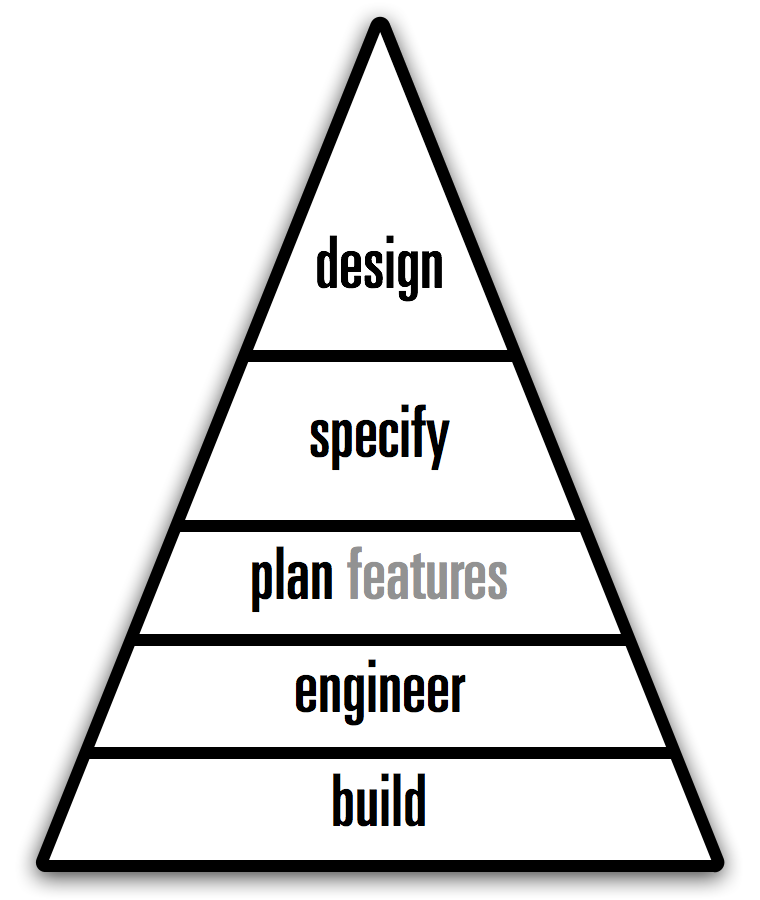
I recalled what I wrote here a while ago:
‘Everyone knows that in order to get software, it needs to get built, i.e. code developed.’
And with that I had my first, ‘physiological’ level of software making: to build. Without it, there is nothing. This is the hammer and saw level; just cut it to size and nail it together.
You would be surprised how much software is made like this—yes, also for top dollar.
moving on up
The next level is to engineer. At this point one is not just cobbling code together, there is also thought and structure involved, on a technological level. This is all about avoiding chaos, being able to scale up—in size and complexity—and code being maintainable in the future.
We can use these two levels to illustrate a common source of strife in software development outsourcing. The customer thinks they will get an engineered solution for their money; the supplier thinks they can just build whatever passes the acceptance tests.
Maslow’s second level is called safety. Somehow that matches quite well with what software engineering is about.
a giant leap
One level up is a whole new ballgame: to plan features. This requires having a product vision and picking only those features that make the product stronger, while saying ‘no’ to 95% of the features that users, marketing and engineering come up with.
This is the entry level for putting some purpose into the activity; to make software that matters. It is not easy to make it up to here; respect for those who do. It takes a visionary person, confident enough to deal firmly but correctly with all the wild impulses that come from users and engineering.
The corresponding Maslow level is called love. Indeed, to plan features is the first step of putting some love into the software you are making.
accident prune
The fourth level is to take the random factor out of software making: to specify. Define first what needs to be made, before engineering figures out how it can be built. This roots out the standard practice of the how determining what the result will be.
I am totally not a fan of heavyweight, bureaucratic specifications. Just keep in mind: the point is that a project should be able to tip the code, swap out the complete engineering crew and be confident to resurrect exactly the same software from spec—just with different bugs.
full potential
And now we reach the top, the level of complete product realisation: to design. The focus moves to product value delivery, by addressing user needs, while taking into account what is feasible with technology.
A software project that is operating smoothly on all five levels of the hierarchy is one that is delivering its full potential. It can concentrate on realising its vision and through that be a leader in its market.
Conversely, a project where one or more levels of the hierarchy are missing, or not functioning well, will spend a considerable amount of its energy on trying to fill the void(s). The organisation may not quite be able to put its finger on what is wrong, but spend a lot of communication, meetings, time and action on correcting it.
Maslow’s top level is summed up as—
‘morality, creativity, spontaneity, problem solving, lack of prejudice and acceptance of facts’
That’s a pretty good trait‐requirements list for a designer. Stated the other way around, to design is a human need of the highest level.
use it
Now we can work the diagram, in true Maslow style:
An organisation will only be motivated to fix the lowest level that is found lacking.
As we have already seen, the build level trumps anything. Problems on this level—e.g. lack of developers, or ‘physiological’ bugs (crashing)—will crowd out any other considerations. Moving up, if the engineering is found lacking, then an organisation will not be inclined to take feature‐planning, specification, or design serious.
If an organisation fails to plan features then design and/or specification initiatives will be in vain. Is the specification process found lacking? Then it will be hard for an organisation to become design‑driven.
Working the diagram, we can understand how software‐making organisations act.
postscript
Here is something I noticed when I looked at the hierarchy diagram: it doesn’t mention software or anything related, does it?
Turns out the diagram is general for any design discipline; it is a Maslow hierarchy of making anything.
Labels: fundamental, process, top story
war and peace, the abridged UI version
18 October 2013, 16:47
Actually, I intend this blog post to be shorter than usual.
peace
I like to think that my work as an interaction architect makes the world a better place.
I realise product makers’ dreams, designing elegant and captivating embodiments they can ship. I save terminally ill software and websites from usability implosion, and in the meantime get their makers a lot closer to what they always intended.
On top of that, I provide larger organisations with instruments to reign in the wishful thinking that naturally accumulates there, and to institute QA every step along the way.
All of this is accomplished by harmonising the needs of product makers, developers and users. You would think that because I deliver success; solutions to fiendishly complex problems; certainty of what needs to be done; and (finally!) usable software, working with these three groups is a harmonious, enthusiastic and warm experience.
Well, so would I, but this is not always the case.
war
The animosity has always baffled me. I also took it personally: there I was, showing them the light at the end of the tunnel of their own misery, and they get all antsy, hostile and hurt about it.
After talking it through with some trusted friends, I have now a whole new perspective on the matter. Sure enough, as an interaction architect I am always working in a conflict zone, but it is not my conflict. Instead, it is the tri‑party conflict between product makers, developers and users.
- The main conflict between product makers and users
- Each individual user expects software and websites really to be made for me‐me‐me, while product makers try to make it for as many users as possible. Both are a form of greed.
- There is also a secondary conflict, when users ‘pay’ the product maker in the form of personal, behavioural data, and/or by eyeballing advertisements—’nuff said.
- The main conflict between product makers and developers
- Product makers want the whole thing perfectly finished by tomorrow, while reserving the right to change their mind, any given minute, on what this thing is. Developers like to know exactly up front what all the modules are they have to build—but not too exactly, it robs the chance to splice in a cheaper substitute—while knowing it takes time, four times more than one would think, to build software.
- That this is a fundamental conflict is proven by the current fad for agile development, where it is conveniently forgotten that there is such a thing as coherence and wholeness to a fine piece of software.
- The main conflict between developers and users
- This one is very simple: who is going to do the work? Developers think it is enough to get the technology running on the processing platform—with not too many crashing bugs—and users are free to do the rest. Users will have no truck with technology; they want refined solutions that ‘just work™,’ i.e. the developers do the work.
All of this makes me Jimmy Carter at Camp David. The interaction design process, the resulting interaction design and its implementation are geared towards bringing peace and prosperity to the three parties involved. This implies compromises from each party. And for me to tell them things they do not like to hear.
- Product makers need to be told
- to make real hard choices and define their target user groups narrowly—it is not for everyone;
- that they cannot play fast and loose with users’ data;
- to take the long, strategic view on the product level, instead of trying to micro‐manage every detail of its realisation;
- to concentrate on the features that really make the product, instead of a pile‑up of everybody’s wish lists;
- to accept that they cannot have it all, and certainly not with little effort and investment.
- Users need to be told that
- each of them are just part of a (very large) group and that in general the needs of this group are addressed by the product;
- using software and websites takes a certain amount of investment from them: time, money, participation and/or privacy;
- software cannot read their minds; to use it they will need to input rather exactly what they are trying to achieve;
- quite a few of them are outside the target user group and their needs will not be taken into consideration.
- Developers need to be told
- that we are here to make products, not just code modules;
- no substitutes please, the qualities of what needs to be built determines success;
- users cannot be directly exposed to technology; an opaque—user—interface is needed between the two;
- if it isn’t usable, it does not work.
No wonder everybody gets upset.
peace
How do I get myself some peace? Well, the only way is to obtain a bird’s‐eye view of the situation and to accept it.
First, I must accept that this war is inherent to any design process and all designers are confronted by it. Nobody ever really told us, but we are there to bring peace and success.
Second, I have to accept that product makers, developers and users get upset with my interaction design solutions for the simple reason that they are now confronted with the needs of the other two parties. They had it ‘all figured out’ and now this turns up. (Yes, I do also check if they have a point and discovered a bug in my design.)
Third, I have to see my role as translator in a different light. We all know that product makers, developers and users have a hard time talking to each other, and it is the role of the interaction architect to translate between them.
It is now clear to me that when I talk to one of the parties involved, I do not only fit the conversation to their frame of reference and speak their language, but also represent the other two parties. There is some anger potential there: for my audience because I speak in such familiar terms, about unfamiliar things that bring unwelcome complexity; for me because tailored vocabulary and examples do not increase acceptance from their side.
Accepting the war and peace situation is step one, doing something about it is next. I think it will take some kind of aikido move; a master blend of force and invisibility.
Force, because I am still implicitly engaged to bring peace and success, and to solve a myriad of interaction problems nobody wants to touch. This must be met head‑on, without fear.
Invisibility, because during the whole process it must be clear to all three parties that they are not negotiating with me, but with each other.
postmortem
That is it for today, I promised to keep it short. There are some interesting kinks and complications in the framework I set up today, but dealing with them will have to wait for another blog post.
Labels: architects, fundamental, top story, war and peace
design lessons with Daft Punk
23 May 2013, 22:51
I am sure you have noticed the Daft Punk marketing master plan that is taking over all media channels at the moment. And I admit that I am happy to consume—and inhale—anything (semi‐)intelligent that is being written about them.
Yesterday I read this Observer interview with the ‘notoriously shy French duo.’
punk rules, OK?
Below are Daft Punk quotes I lifted from the article, followed by what I associate with each. There are also a couple of cameo appearances by hit‑production legend Nile Rodgers.
‘The music that’s being done today has lost its magic and its poetry because it’s rooted in everyday life and is highly technological.’
Wow, not the most hands‑on quote to start with. But I swore that I’d present them in the order they appear in the article. With the mentioned ‘magic and poetry’, I associate fantastic design work. This means sweeping solutions, for which there needs to be at least one designer on the project with a big‐picture view.
Being constantly ‘rooted in everyday life’—e.g. relying on testing (A/B or usability); or working piecemeal, or driven by user requests, or in firefighter mode—shortens the horizons and shrinks the goals. It surely programs the project for mediocrity, i.e. humdrum, incremental solutions.
Every user has to deal every day with software that ‘is highly technological.’ Everybody thinks this sucks. Making software is highly technological when one is staring at code; when thinking about code; when taking prototyping capabilities into account; when technology informs the interaction, verbatim. Designing great interaction means not making any of these mistakes.
‘In early interviews they came across as suspicious and aloof. “It’s because you’re 18 and you feel maybe guilty: why are we chosen to do these things?” says Thomas. “There’s definitely reasons to feel less uncomfortable now. It’s one thing to say you’re going to do it and another to have done it for 20 years.”’
Now that is the voice of experience talking. The first part of it is this early phase; fresh out of school and real (work) life is starting. This suspicion of one’s own talents, entering a company, scene or industry and expecting the folks around you to be like you, see things like you. And then they don’t. Very confusing, who is wrong here?
The second part is having ‘done it for 20 years.’ If that involved a portfolio of successful work; continuous self‐development; the discovery of what a difference ‘being experienced’ makes and getting to know a few peers, then it has become more comfortable to be a designer. Just don’t get too comfortable; make sure every new project you take on challenges and develops you.
‘The only secret to being in control is to have it in the beginning. Retaining control is still hard, but obtaining control is virtually impossible.’
The first level where this holds is getting a design implemented. Quite often developers like to first put some temporary—and highly technological—interaction while they sort out the non‑UI code. The real design will be implemented later. Then time ticks away, the design lands in a drawer and the ‘temporary’ UI gets shipped.
I do not think this is a malicious trick, but it happens so often that I do not buy it anymore. The only secret to getting interaction design implemented is to do it in the beginning.
The second level is that of the overall collaboration; ‘obtaining control is virtually impossible,’ no matter how big a boost a designer has given the project. So one has to start out with control from the beginning, it has to be endowed by the project leadership. And then one has to work hard to retain it.
‘Guy‑Man, who designed the artwork, says that Thomas is the “hands‑on technician” while he is the “filter”: the man who stands back and says oui or non.’
Filter is the stuff designers are made of. In the case of interaction designers it means filtering out of all the things users say, the things they actually need. It means saying non to many things that are simply technologically possible, but useless, and oui to exactly that what realises the product, addresses users needs and is, yes, technologically possible.
Being the filter does not always make you friends, having to say non to cool‐sounding initiatives that in the bigger scheme of things are incredibly unhelpful. But being a yes‑man makes an ineffective designer, with non‑designed results.
Making software is not a game with unlimited time and resources; user interaction is not one with unlimited screen space and communication bandwidth. A filter is crucial.
‘“The genius is never in the writing, it’s in the rewriting,” says Rodgers. “Whenever they put out records I can hear the amount of work that’s gone into them—those microscopically small decisions that other people won’t even think about. It’s cool, but they massage it so it’s not just cool—it’s amazing.”’
I learned some years ago that it is not only the BIG plans and sweeping solutions that make a master designer. It is also in the details. All the tiny details.
All these ‘microscopically small decisions’ have to be taken in the way that strengthen the overall design, or else it will crumble to dust. This creates tension with all the collaborators, who ‘won’t even think about’ these details. They cannot see the point, the crumbling. Masters do.
‘We wish people could be influenced by our approach as much as our output. It’s about breaking the rules and doing something different rather than taking some arrangements we did 10 years ago that have now become a formula.’
Design is not a formula, not a sauce you pour over software. Design is a process, performed by those who can. A designer cannot tell upfront what the design will be like, but knows where to start, what to tackle and when it is done. That sounds trivial, but for non‑designers these four points work exactly opposite.
Apply the design process to a unique (i.e. non‑copycat) project and you will get an appropriate and unique design. Blindly applying this design to another project is by definition inappropriate.
‘“Computers aren’t really music instruments,” he sniffs. “And the only way to listen to it is on a computer as well. Human creativity is the ultimate interface. It’s much more powerful than the mouse or the touch screen.”’
This quote hits the nail on the head by setting the flow of creativity between humans as the baseline and then noting how computer interfaces are completely humbled by it. It is too easy to forget about this when your everyday world is making software.
The truth about software for designers (of music, graphics and other media) is that not much of it is designed—the interaction I mean, although it may look cool. Being software for a niche market makes it armpit of usability material: developers talking directly to users, implementing their feature request in a highly technological way.
To make an end to this sad state of affairs, a design process needs to be introduced that is rooted in a complete—but filtered—understanding of the activity called human creativity.
‘Enjoying the Hollywood analogy, Thomas says Daft Punk were the album’s screenwriters and directors while the guest performers were the actors, but actors who were given licence to write their own lines.’
I am also enjoying that analogy, and the delicate balance that is implied. On the one hand, interaction designers get to create the embodiment of the software ‘out of thin air’ and write it down in some form of specification, the screenplay. Being in the position of seeing how everything is connected, it also falls naturally to them to direct the further realisation, by developers and media designers.
If that sounds very bossy to you, it is balanced by the fact that these developers and media designers already have complete ‘licence to write their own lines.’ For developers every line of code they write is literary theirs.
The delicate balance depends on developers and media designers being able to contribute to the interaction design process—in both meanings of that phrase. And it depends on all written lines fitting the screenplay.
‘“What I worked on was quite bare bones and everything else grew up around me,” says Nile Rodgers. “They just wanted me to be free to play. That’s the way we used to make records back in the day. It almost felt like we’d moved back in time.”’
This is what design processes are about; to create a space where one is free to play. This in the dead‐serious context of solving the problem. Play is used to get around a wall or two that stand between the designer and the solution for making it work.
It takes a ‘quite bare‐bones’ environment to be free: pencil and paper in the case of interaction design. That may ‘feel like moving back in time’ but it is actually really liberating; it offers a great interface for human creativity. Once you got around those walls and hit upon the solution, every part of the design can grow up around what you played.
And on that note, I’ll finish today’s blog post.
Labels: fundamental, process
12 interaction tips for startups
10 October 2011, 14:03
Over the last year or two, we at m+mi works have seen a remarkable increase in projects with local startup companies. For us this is tangible proof of the alleged trend that Berlin is the location for your next startup. I can see the driving forces behind it though. Having set up shop myself in Berlin, I can only confirm the advantages and benefits of doing so.
1. do you really want to?
Do you really want your product—application, mobile app, website or online service—to be compelling and elegant to use? I have to ask, because a lot of folks I talk to say they want this, but in reality very few take the necessary steps to make it happen.
Starting with the right mindset (is the value in features or in user experience?); followed by finding the right people to design your user interaction and putting them in charge; then, when it is crunch‐time, standing by your user experience goals, instead of declaring them ‘nice to have.’ This is just a selection of what it takes.
If you are wavering at this point—or think you can cleverly bypass one of these steps—then you might as well stop reading, with the certainty that your product will never have a great user experience. Maybe you can make it regardless (‘if no competitor bothers, then…’). However, if you know that your success depends on your user experience, then read on.
2. you have a rare opportunity
At startups we regularly find the kind of environment that is conductive to the design of great user interaction. Working directly with the top decision makers; a lack of conservative and reactionary forces; genuine believe in the product; relentless focus on product inovation; a ‘can do’ mentality; knowing that only the best survive.
Add to this a product idea that must be innovative (‘me too’ or ‘feature parity’ equals death) and you can see why it can be exhilarating for us at m+mi works to work with startups.
My message to startups: you owe it to yourself to make use of all this energy. Unlike most other companies, you have the opportunity to produce something truly innovative, with user interaction that sets new standards. Grab it.
3. yet another development company
In some regards a startup is not that special. It is simply a software development company, which is governed by the same ‘laws of nature’ as any other software company. It is not that working at a startup gives a divine shot of inspiration and ability to developers, visual designers and product people for creating user interaction, is it?
The laws of nature dictate that if you want your product’s user interaction to be a hit and drive the growth of your company—instead of impeding it—then you need to involve specialists. No, the creative guy with photoshop is not it.
Similarly, going around friends, family and neighbours, asking them ‘here, try this’ or ‘whaddaya think?’ is not a usability test. Have an introductory talk with a usability specialist to find out what goes into testing of your user interaction. I am sure you will find it worth your while.
4. if you take UI seriously, budget for it
You are determined to take the necessary steps to give your product the user interaction it deserves. I think the following truism will not surprise you: you get what you pay for. Interaction architects are quite thin on the ground; we are usually busy; and we work at the top of the software development pyramid.
If you want a permanent interaction architect on your team, you are looking at making him or her a partner, with the equity share that goes with it. A person with the right ability—and experience—will know that user interaction is the one and only embodiment of the product, and will only accept a position where the accountability comes with the necessary authority: a ‘C’ position (CUIO?). As the startup grows, more junior interaction designers can be added. But the first one has to be a leader.
Involving external user interaction experts does take a healthy budget. The good news is that if you are familiar with the day rate of a good freelance developer, you will not be knocked out by what interaction firms charge. Bonus tip: the kind of visual designers or front‑end developers who say that they also do interaction design as part of their job, will be exactly the ones who can’t.
5. to save money, you can work more
An important asset of a startup is to compensate a lack of time, money, expertise or personnel by just working more, a lot more. I have used this fact to make a project with one startup happen. It turned out to be very successful and enjoyable. However, there are some hard limits to this approach.
Certain talents and skills need to be available at the startup to be able to take over a good chunk of the menial design and specification work. This is not always the case and it will have to be ascertained before a project starts if sharing the design work is feasible. Then, there is simply no substitute for expertise. Scaling back the involvement of experts simply scales back the depth with which the interaction challenges are met. You get what you pay for.
6. you got to have a vision
Creating good user interaction does not consist of applying some ‘divine’ rules, library patterns or platform guidelines. Also simply copying something that you like from another site or app does not get you anywhere. Designing interaction means creating the embodiment of your product and to help you with that, the interaction architect needs to know what it is.
A product vision is your short, sharp statement of what your product is. It answers three questions: what is the identity of your product; what are the core user groups; where is the end‑user value? The first thing we do in a project is to moderate a session where we help you to draw up your vision statement. Once done, it will be the fundamental basis for answering any interaction design question, our pact for the rest of the project.
If you fail to get your product vision together, then I am afraid your product is doomed. Examples of failing visions are:
- identities solely defined in a derivative way (‘like twitter with music, really’);
- user groups that are impossibly broad (‘everyone’) or schizophrenic (‘for baristas and nuclear scientists, yes’);
- only being able to offer features, when value is asked for.
But not to worry, it is rare for a vision to fail. And when it happens, it tends to be at big corp.
7. zealots, infidels and you
So you got your vision and—as I know startups—you are constantly ‘selling’ it to anybody who wants to listen; including yourself, to keep the faith. But wait, who is actually ‘buying’ it? Well, ultimately only those who invest in it. Either with capital (money, machines, bandwidth, etc.) or with a slice of their life (partners, working ‘for nothing’ for a while). Besides them, there are two more groups.
First there is the huge group of total outsiders to your startup. Talking to them is, at best, a form of market research. From experience I say: because they are not part of creating the future, they are a most reactionary force (‘micro‐blogging in 140 characters? no way’). The magic trick is to stick to your vision, but in the meanwhile filter the occasional nugget of gold out of this stream of feedback.
The second group are those—internal and external—who work with you on realising your vision, creating the future together with you. Are these people cynics, because they refuse to invest in your vision and want to be paid directly for their goods and services? I say: no, these people are very valuable as objective collaborators. Don’t take it as a rejection of your vision, they work with it every day. But without roze‐tinted glasses and no IPO on their mind, they are in a better position to see—and tell you in plain language—the reality of implementing your vision. Make use of their professionalism.
8. you have to build an organisation
Here is something I learned, the hard way: startups have, by nature, no track record of their capability to really develop and ship software. Yes, this is also true if one or two grizzled veterans head up the development. The first reason for this is that the organisation has to establish itself: procedures, communication, support systems, information flow, etc. The second reason is that it takes quite a while to find out if everyone on board is really up to the job.
As a startup you really have to take this into account. It starts with working on that organisation. Yes, even if there is only one developer. There is still information flow; bug tracking; an interaction design to be communicated; perhaps content or a visual design to merge. The one person responsible and accountable for building a software developing and shipping organisation is the CEO, and no one else.
Another way of taking all this into account is to plan with the overhead, delays and other surprises that are caused by both reasons above. With all that agile and iterative development that is in fashion at the moment, ask yourself what the dependencies are if one or two people are not able to deliver. I have seen processes like that completely unravel, with ugly knock‑on effects.
9. structuring is more than half the work
For any project interaction architects do, structuring the design process and implementing our methods is the backbone of our work. The feedback I get indicates that when working with startups, the value of this reaches the next level. I see two reasons for this.
First there is the factor of order. True, for just about any company we work with, our structure and methods supersedes a mostly haphazard and random UI creation process. With established companies, this comes in the form of process change. But with startups this coincides with the organisation building discussed above, and the clean‑cut structure that gets established is much appreciated.
Second factor is clarification. Working with a startup on their product vision; followed by compiling the functionality overview; then some user scenarios to represent typical use; it forces to make concrete what was only there on a subconscious level, or in a state of constant flux. Startups realise that this clarification work we do is a first and necessary step towards shipping an actual product.
10. you will have to manage
As you are building your startup, you are in a rapid process of transitioning from doing everything yourself to hiring professionals—internal and external—to handle all kinds of competences: product, interaction, visual design, development, testing, usability, sales, legal etc. Here is one that is sometimes overlooked: project management.
When you have picked the right people, they bring their skills and industry experience; they structure their work and act with authority—within their competence area; they know what it takes to get it done. But you will have to put them all together. Project management does not just happen by osmosis.
Building that organisation; realistic planning; keeping everybody on‑planning; dealing with contingencies; QA; multi‐platform issues; alpha, beta and rollout phases: you will have to manage it, or have a professional do it for you.
11. ‘real artists ship’
The proof of the pudding is in shipping it. Well, you know what I mean. A product does not exist until it is out on the market. And I mean shipping, not promised, announced or private beta. Now, a quest for perfection gets you nowhere. Question is: how much are you willing to give up to get it shipped?
My point is that you should not be staring at a feature list to find out the minimum you can bare to ship. Instead, think of minimum coherent user experience. If you got to be embarrassed when you ship your first version, let it be caused mostly by ‘missing’ features, instead of ‘good enough’ user interaction.
If you want your‐product‑v1.0 to have an impact and form a basis to grow, then its embodiment, the user interaction, should be designed, not an afterthought. So start small, that helps with getting it out; have the essence of your product designed and then ship it.
12. beware of strangers bearing gifts
There is quite a bit of support out there for your startup. University programmes, incubators, venture partners, business angels, subsidy from city, province, country and the EU. Perversely, some of this support comes with a serious helping of red tape. This can reach a point where the founders of a startup do not have the autonomy to act like executives and entrepreneurs.
I’d swear that the point of a startup is to innovate like no ‘normal’ company can. No naysayers playing it safe, no bureaucracy, no controlling. It means selling the vision to investors, then doing whatever it takes to ship it. And failing fast if the vision or its development is unrealistic.
Startups that live in a bubble, protected from harsh reality by a checks‐and‐balances bureaucracy, end up being humdrum R&D departments. They miss the urgency and agility that enable startups to ship great, innovative products, with great user interaction.
what type of interaction?
And that’s it for now. Maybe you expected something else, like tips about sign‑up forms, touchscreen finger grids, widget toolkits, the merits of toolbars. Actually, the twelve factors discussed above are a couple of magnitudes greater in impact where it comes to user interaction. Some of them are elephants in just about any software company’s rooms. Now what you need to do, is to return to tip one and ask yourself: do I really want to?
Labels: architects, fundamental, practical, product vision, startups
KDE UX sprint: inline outline
30 April 2011, 12:34
Last week I spent three full days at the KDE UX sprint. It was a lively meeting of KDE developers, a variety of (interaction) designers and usability folks. m+mi works contributed with two experts to the sprint, my associate Kate Price was also there to help out.
Many an interesting topic was discussed:
- What doe it take to bring the same application to different platforms, e.g. desktop, tablet and mobile touch devices? I say: more than just different widgets or rearranging screen layouts. The different vibe of each platform—the sofa factor of the iPad, being on the move with mobile—leads, in my experience, to non‑trivial differences in UI structure and flows, for the same app.
- Is it great that interaction designers can build a UI (prototype) themselves with languages like QML? I say: the interaction design must be specified first, with all the subtlety and freedom of the written word and drawings. Turning this design into the real thing/prototype always amounts to development. With good interaction designers so incredibly scarce, why should they do development instead of, well, designing?
- We looked for Calligra at screen layouts of windows, toolbars, inspectors for office‐suite applications. Even the ms‑office ribbon came up (Celeste Lyn Paul hit the nail on the head: icon puke). We quickly found out that the problem is highly complicated, with a lot of variables involved. I say: this is hardcore. Without a highly experienced team of interaction architects, implementing some strict, tight methods get a grip on the thousands of possibilities, this one will go nowhere. Oh, and one size does not fit all; applications in an office suite are still different enough to need different layouts.
- Overarching theme for three days: developer–designer relationships. The world could really do with more trust between both sides. I say: It takes developers and designers to create a decent piece of software. If either of them is missing, it becomes incredibly hard: mission impossible.
For the rest of this blog post I would like to report from the session that Kate and I worked on Friday afternoon. It was a classic example of interaction design consulting.
flowing in from the web
The topic was brought up by developer Aurélien Gâteau and concerned—we had to invent the name for it—inline dialogs. I am sure you have seen some of these; here is one that appears in my web browser for finding text on a webpage:
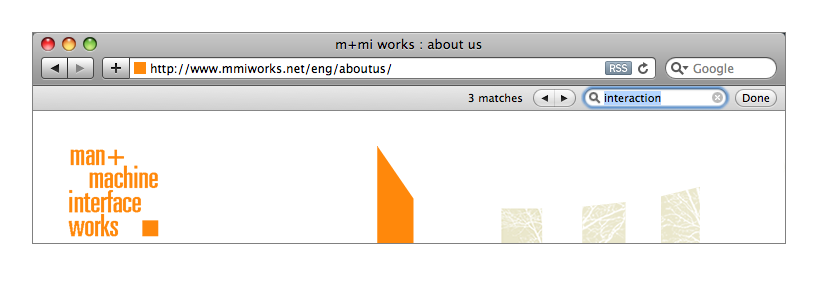
In the image above, a bar has been inserted in the window layout, between the title bar and the web page canvas, to handle some simple search interaction. Another example is positive (green) and negative (red) message bars that can be found at the top of web pages. We at m+mi works have been using them in recent years in our designs for several app‐in‐browser customer projects.
According to Aurélien these inline dialogs have recently started crossing over from web space into desktop applications. For KDE he was looking for guidance on how to design widgets for these and guidelines for developers to integrate them.
slicing + dicing
During our process that afternoon, we evaluated a number of examples, picking the good interaction ones, deconstructed them, settled on a classification, generalised these classes and took it from there. That took a couple of hours and here are the results.
The main reason for using an inline dialog in a desktop application is to not have a dialog overlap the window, combined with low (no) impact on the layout of said window. If that sounds too trivial to you, then here is a twisty corollary that I found: inline dialogs that do not span a full content column—and by definition smaller in pixels—are more intrusive than full‐width ones:
I quickly whipped up the example above by erasing more than half the bar. This ‘part‑bar’ is more intrusive because it is in effect overlapping the content: when scrolling up, content on the left will be covered later than content on the right. Yes, that is an issue fully driven by user perception, not by pixel calculations.
not in Kansas anymore
Another thing that can be said in general is that two of the reasons to use inline dialogs in web browsers; i.e.
- the fact that a web page is (nearly) fully disconnected from the browser menu bar that is displayed right above it; e.g. it cannot rely on Edit->Undo from the menu bar;
- the fact that the web browser has (nearly) no chance to insert its own controls in a web page; e.g. it cannot place a ‘Remember’ checkbox near every password field;
disappear in general for an application in a desktop environment. Unless of course, one or both reasons are valid for a particular desktop application. It takes however some serious stuff to trigger this condition, like a runtime environment where the environment owns the menu bar and the user interaction is running inside it as content (e.g. a web browser).
that’s classified
These inline dialogs are just that, dialogs. So the 30‑year‐old rules and variants of dialog boxes are all valid. Except for one: because inline dialogs are subtle and not exactly in users’ way—their main benefit, I say—they are not made for situations that need a modal dialog.
Now on to the classification, here are the different classes of use in desktop applications:
- negative feedback
- The same arguments that rule out modal dialog use, also suggest that inline dialogs—those negative (red) message bars—are too subtle on their own as negative feedback. So they only work in combination with something non‐subtle, something big, communicating failure. Then inline dialogs can be used for further clarification, close to the source of trouble.
- positive feedback
- Where for negative feedback it is too little, for positive feedback it is easily too much to use an inline dialog. It really only makes sense when there is a heightened user need for reassurance.
For both feedback classes above, I expect the normal situation to be that after doing some methodical interaction design, one realises that there are better solutions than using inline dialogs. They are to be used in exceptional cases. Two more classes of use:
- opportunistic interaction
- This is about offering low‐hanging fruit, on the side, e.g. after inserting a CD in the computer, a music collection program can offer to import it, as a ‘footnote’ in the overall window layout. I think this class of use can be very useful for getting chores done without breaking the main flow of an application. Get more done with less fuzz.
- secondary tasks
- Quite a mouthful this one: for tasks that are secondary—certainly not essential—for an application; users start them, concentrate on them for a while, intermittently if needed, until users decide it is done. Examples: find (and replace) and spell checking. The main benefit of using inline dialogs fits these situations well. Please, no close box on this class of inline dialogs, users are Done.
rewind; fast forward
And that is it. At Friday’s session we did not only put the necessary structure into inline dialogs in desktop applications. By also generalising in the form of above classification, we open up space for innovation in their use. I hope the results I have presented here will be as useful for you as it will be for us in our next projects.
Labels: design stage, fundamental, practical, product phase
the rise of proper integration
23 November 2010, 00:51
This year’s world usability day in Berlin marks my return to blogging. The hiatus was triggered by google’s deprecation of my publishing method, which had some knock‑on effects, both organisational and in publishing discipline.
Our usability day was bigger and better visited than ever. As a long‐time co‑organiser, sponsor and speaker, I think that’s cool. My lecture built a bridge between the theme of the day—mobile communication—and the new meet the expert sessions. The latter offered executives a chance to meet senior usability or interaction design experts to discuss about strategic, big‐picture issues.
My lecture was titled ‘the proper integration of interaction design and usability, or, the rise and fall of mobile empires’ and this is how it went.
first things first
To anchor the meaning of my lecture, I started off with my definitions of both usability and interaction design.
- usability
- both the measure of how usable something is and the profession where experts approach user interaction in an empirical way: surveying, observing, performing exercises with users. I always say: usability means getting the facts on the table.
- Asking users what they prefer is not usability. That is market research territory. Usability is about measuring how users tick and if interaction works.
- interaction design
- both the complete plan of how the interaction works and the profession where experts create user interaction by shaping it in broad strokes; by innovating; integrating every single detail into the overall plan. Interaction design is about creating the future by making innovation jumps forward.
- My complex relationship with the word design is known. It is not about making it pretty, design is solving the problem. It is about structure and how the interaction ticks. Elegance is defined in the mathematical sense, of how a solution covers all with a minimum of complexity.
Also note my old acid test for when we have slipped out of interaction design and into visual design. The baggage that comes with the word ‘design’ makes that I rather call myself an interaction architect. That also reflects much better the role of being the one who integrates the overall interaction plan.
separated at birth
Interaction design and usability are two distinctly different professions. Now you may think that I am painting this too much as a black and white issue. Is there not a huge grey‐zone between the extremes, where usability experts also design and designers also avidly test? Well, I only found out about the dichotomy because it is so pronounced. The grey‐zone, where professionals seriously combine both, is much smaller than one would expect.
trouble in paradise
With these definitions out of the way, I moved on to state how troubled I am by the way usability is deployed today. If companies want to get a serious return on investment in usability, they should understand that:
- It is not enough to commission some usability tests, when they are performed late in the project and there is no chance anymore to sort out the UI. I have too many frustrated usability colleagues who perform tests for the same clients, same products, version after version, only to find the same usability errors.
- It is not enough to employ usability specialists, when they are kept at bay by the rest of the software development organisation, who label their recommendations as ‘optional enhancements.’ I have experienced enough developers who were wildly enthusiastic about usability help, only to start overruling when it came to taking action on the results.
- It is not enough to have a usability department, when it is undersized for the development capacity of the company; when other departments manoeuvre to keep it catching up with the situation; when there is no interaction design competence in the whole company to solve the problems at hand.
The same can be said for interaction design:
- It is not enough to commission a UI redesign, when it is received as a collection of nice and flashy ‘ideas,’ when there is no follow‐through by designers during implementation. Which means with every next step, every decision, the design further crumbles to dust.
- It is not enough to employ interaction designers, when they have to work in fireman mode: to review and correct whatever happens to be already developed at the moment; when technical architectures and hardware are ‘already fixed’ from the start; when developers reserve the right to decide which corners can be cut in the design.
- It is not enough to have a design department, when their designs end up in drawers; when they do not lead the development of the UI; when there is no usability competence in the whole company to provide a foundation for the design work.
So there we were, at the end of a successful world usability day, and I had to spread this doom and gloom. Could I maybe offer any hope, instead? Yes I could, in the form of a three‐point plan for the proper integration of interaction design and usability into development projects.
1. work with a vision
Interaction design and usability work is not performed in a vacuum. It is not implementing, and testing against, some kind of general list of guidelines. Actually, interaction design and usability start where the UI guidelines end.
When designing interaction, we are creating the (generally) sole tangible incarnation of a piece of software with a certain identity, for a certain target group, delivering the reason why one actually would invest in using the software: value. In parallel, usability recruits participants from the target group, for instance to test if the software reflects the identity and if the value is delivered or hampered by the interaction.
It comes as no surprise (to those who know me) that identity + target group + value make a product vision. In order to put a bit more practice—mobile practice—into my talk, I then showed how a product vision is made for a fictive example.
everywhere you go, you always take…
Starting from the situation where a product manager comes in and says ‘we are going to build a weather widget,’ I demonstrated how by interviewing the persons who are driving the innovation, they can be coaxed to deliver something much clearer:
‘The weather widget is an always‐available, quick forecast of the weather for one location. It allows hi‑tech seekers and lifestyle junkies to plan ahead for the next 4–8 hours, while on the move.’
There is plenty in there for identity and value, what’s in it and what not, to design from. The user segments—‘hi‑tech seekers and lifestyle junkies,’ mobile is full of that—are used for usability recruiting and come with a lot of defined market data, like the use of mobile data.
everybody is scarce
While demonstrating this I hit the point where for target group you get the standard answer: ‘everybody.’ In my experience, there is one type of software that really is for ‘everybody,’ and that is infrastructure.
Software that provides infrastructure is easy to spot: it is so boring, that nobody is interested in talking about it or working on it. Literally, I have seen it make people run away. My own main experience here is the openPrinting project my firm is working on: pure infrastructure. So is call handling on a mobile phone. Duh, no? Should just work, no? My point exactly.
As soon as software is not coma‐inducing boring, it is no longer for ‘everybody.’ Yes, even the weather. In this mobile example the user segments of the phones that the widget is made for set a much narrower target group, which means the interaction design can be much more optimised.
all together
Working with a product vision is a form of insurance against moving targets and endless discussions. It is also a form of integration, where the goals of the project are firmly implanted as the root of the whole interaction design process.
2. process integration
Let us look at the timeline of a development project, it starts at the left and ends at the right:

Now let us say that the project decides to involve interaction design at the point where the orange marker is:

I say: sure you can do that at that point, as long as you understand the following two points:
- Up to this point, you haven’t done nothing for your user interaction. Sure, also in my experience developers—and if you got them, visual designers—can come up with exiting nuggets of interaction innovation, but it has to be clear that the job of making the whole interaction work starts at this point.
- Having started at his point, it cannot be that things—like technical architectures and visual layouts—that heavily impact interaction design are ‘done.’ These are significantly formed in symbiosis with the interaction design.
Yes, you are right: that orange marker is better placed a lot earlier in the project.
Now, let us take the same project and instead of interaction design, involve usability at the point where the green marker is:

Par for the course, I say. But there are two more points:
- Yes, ‘you haven’t done nothing’ until this late in the project.
- The test will get the facts on the table. Knowing the industry standard for chances of surviving a usability test, I have to ask you: what did you think you were going to do now, in so little time?
Practically speaking, creating interaction starts a lot earlier than building it and it only ends when the last bug is fixed and the software ships:

As you can see from the color coding the overall interaction project is interaction design territory. Following through, keeping the interaction concept together as time pressure and compromises start eating into it is a prerequisite for success.
A serious deployment of usability looks like this:
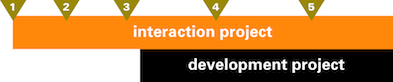
Detailing each wave by number:
- Initial research of how the target group users tick. This provides a grounding for the interaction design.
- Test of initial, rough interaction design. The most important thing about this test is that one is fully prepared and capable to throw everything away and start anew, when the results tell one to do so. Testing on paper is good for that.
- Test of the much more solid interaction design. Medium level stuff can still be turned around when the test says so. Still testing on paper.
- Interaction design has been working with development for a while, a software prototype can be tested in a more high‐fidelity test.
- This is just as ‘late’ as in the single test example. In this case, we are really just testing last niggly issues; icons and graphics that have been produced by now; final wording of texts in the UI.
At the end of each wave, usability and interaction design work together to analyse the results and splice the outcome into the foundation of any further interaction design work.
all change
Introducing usability and interaction design means process change. It is the only way to morph a technical software code producing machine into one that delivers products.
3. organisational integration
This process change must be accompanied by a redistribution of authority. And here lies the rub:
- Product managers know exactly that the interaction of the software is the one and only embodiment of the product. With mobiles, it is the remaining one once the product has been bought and the spell of hardware design dissipates. Product managers don’t find it funny to lose control over this embodiment.
- The development manager simply has to get it done. So (s)he does not find it funny that the definition of done has become so clear and explicit, e.g. in a UI specification. The room to fudge, to declare it done no matter how primitive the implementation, is gone.
- My experience with developers is all over the place. A good deal of them find it a pleasure to work on UI at a whole new level, to have exactly clear what needs to be build and to get on with the engineering. Others don’t find it funny that playtime is over. That—although there is room to do proof‐of‐concepts and contribute nuggets of innovation—as soon as it comes to production of user interaction, there is no more improvisation involved.
- Visual designers don’t find it funny that ‘design’ gets extended into dimensions that they are really not comfortable with, that layouts come pre‐structured and that text has to be in un‑cool, readable sizes.
This triggers standard tactics from all of the above in order to keep their fun going just a little longer:
- ‘these folks work subordinate to me in this organisation’
- ‘well, it is only advice’
- ‘we decide on that together’
- ‘I am doing the development, so who is going to stop me?’
But I say you cannot have it both ways. You cannot ask usability and interaction design people to deliver what is unreachable for you—make the user interaction work—and in the meantime sideline them so everything stays as in the ‘good old days.’
irresponsibility
Being made responsible for something, like usability, is almost a poisoned chalice. Responsibility comes with all of the workload and none of the freedom to execute. What is missing in today’s practice of usability and interaction design is the complementary pair of accountability and authority.
The accountability—one’s neck being on the line—comes naturally to interaction designers. To make that user interaction represent the product and that it all works for users and that it is feasible to build: who else is going to do the job? It is about time that the authority—the final say in what is being built—gets respected, as part of the deal for taking on that accountability.
And let’s not chicken out on usability, although it is empirical in nature. Usability folks should be accountable for getting the relevant and correct facts on the table. By doing this they earn the authority to report the fact that software is working or not, for users. Let’s stop calling it advice and consulting.
great balls of fire
Nobody is going to give up their slice of fun just like that. It takes organisational reform to make this work. This diagram shows how accountability and authority should be implemented. The ‘boss’ stands for the person who has the authority to sign off all the funds that pay for the software production:
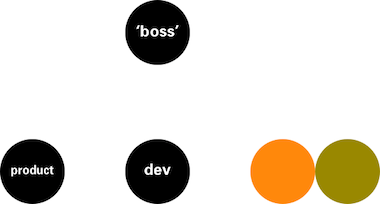
Below the ‘boss’ we find, left–to–right, product management; development; interaction design and usability, all at the same level. Each of these can be a single person or a hierarchy that culminates at this point. Each of these can be in‑house or outsourced. All four are accountable to the ‘boss’ and the ‘boss’ lends each the authority to get their job done.
The only variant of this structure that I can think off, is when there is no ‘boss.’ This is the case with open source: the maintainers are the top of the development tree. It is also the case with start‑ups and other partnership situations. What we then have is a flat‐top hierarchy, with clear accountability and authority as before:

It also shows what kind of partners you need in this type of set‑up. ‘Boss‐type’ decisions will have to be made a consensus or committee type of way, in open source that will involve even more persons as shown here. The worst that can happen here is that one of these four gets elevated to the ‘boss’ position, but still keeps her/his original role. Conflict of interest is then pre‐programmed.
capital punishment
So am I here on a prima donna ‘designer’ power trip? No. I think that ‘having your head chopped off’ when the design cannot reasonably be built, when it does not embody the product or when it is unusable really focusses the mind and stops ego trips.
Over the last years I have come to the conclusion that interaction design thrives with tension, i.e. when the conditions are tough. When for product, development and usability heads—even better, for the ‘boss’—only the best is good enough. I once was leading a top‐secret project to design the ‘easy, intuitive phone of the future.’ My team thought immediately of paring back the ungodly number of features of mobile phones by a factor of three. But that would have been too easy. I saw there and then that greatness would come from designing for (almost) the whole feature set and deliver on ‘easy and intuitive.’
So yeah, challenges, tough requirements, great tension are fine with me, as long as I have the authority to solve all of that as I see fit, to create and roll out the best user interaction I can.
So what happens when push comes to shove? When someone insists the interaction design has to be changed and the interaction designer has reconsidered everything and knows this is the best solution. I say only three things can happen:
- the ‘boss’ supports the interaction designer and it gets built and rolled out exactly as designed;
- the ‘boss’ fires the interaction designer;
- the interaction designer resigns.
Anything else, e.g. a horrible compromise to keep the peace, is unacceptable and should trigger scenario number 3.
1 + 2 + 3 = ∞
So there we have it, the three‐point plan for the proper integration of interaction design and usability into development projects:
- work with a vision;
- process integration;
- organisational integration.
Can interaction design and usability experts in any way encourage the reform needed to achieve this proper integration? Yes we can, by stopping being happy with just any kind of work that comes our way. By saying no to:
- working on a project that cannot be coaxed into formulating a product vision;
- a late, first usability test and suggest instead that the same money be spent for testing at the beginning of the next project;
- designing interaction as a layer over a ‘done’ piece of software;
- working in situations where the ‘boss’ thinks interaction design and usability are ‘nice to have’;
- jobs at companies where interaction design and usability are down on the org chart;
- being just responsible.
We better spend our energy and our capital—the stuff it takes to create great user interaction—at places where we can see that one, two or even three steps can be taken in the direction of proper integration. And deliver there, to enable the next step.
And on that note I end part one of my wud lecture coverage. Read on for the rise and fall of mobile empires.
Labels: fundamental, lecture, mobile, process, product vision
If you like to ask Peter one burning question and talk about it for ten minutes, then check out his available officehours.
 Peter Sikking is an
experienced
Peter Sikking is an
experienced
interaction architect. He unabashedly puts
shipping great products at the centre of his design practice. He is known for
his work for Google, Nokia, the
Metapolator &
GIMP
open source projects,
and startups.
What is Peter up to? See his /now page.
- info@mmiworks.net
- +49 (0)30 345 06 197
- imprint